
ORG ID, and MOB / ICE are required to subscribe to mobile card licences. How to do this?
- Both (Organization ID and Mobile Keyset) will be sent in the enrolment confirmation letter once the user has successfully completed the HID ORIGO enrolment process at https://portal.origo.hidglobal.com/selfonboarding/.
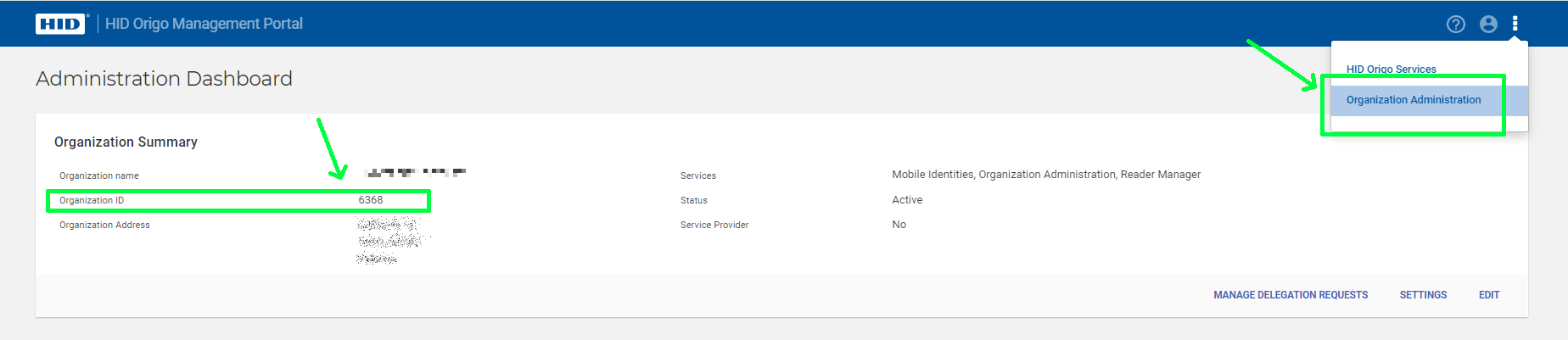
- ORGANIZATION ID can be found on the Origo portal. To do this
- Log in at https://portal.origo.hidglobal.com/mobile-identities/
- Click on the icon with three dots at the top right of the screen, then click on Organization Administration.
- MOB KEYs can also be found on the Origo portal. To do this:
- Log in to https://portal.origo.hidglobal.com/mobile-identities/
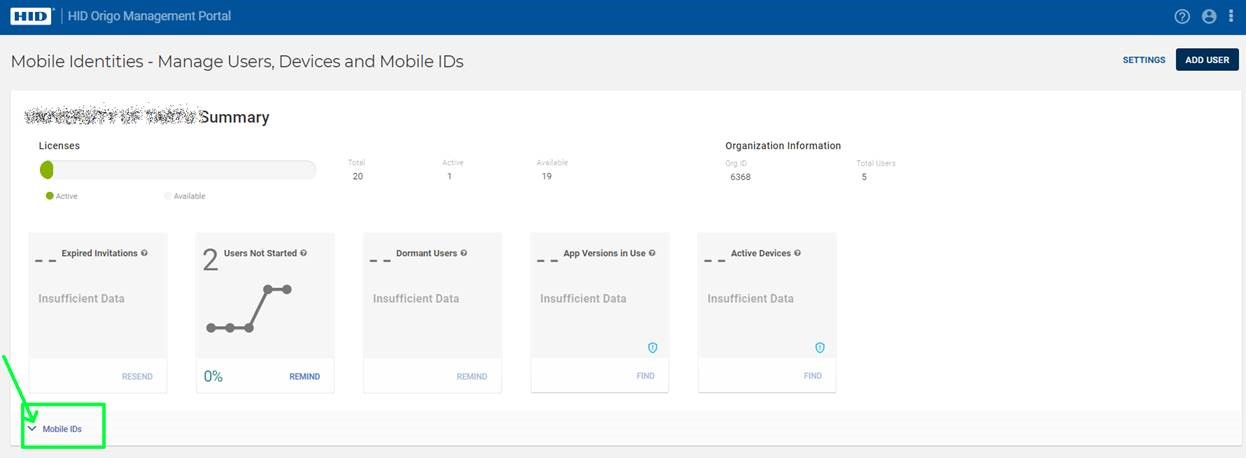
- Click on Mobile IDs
4. A view opens, showing the available mobile keys:
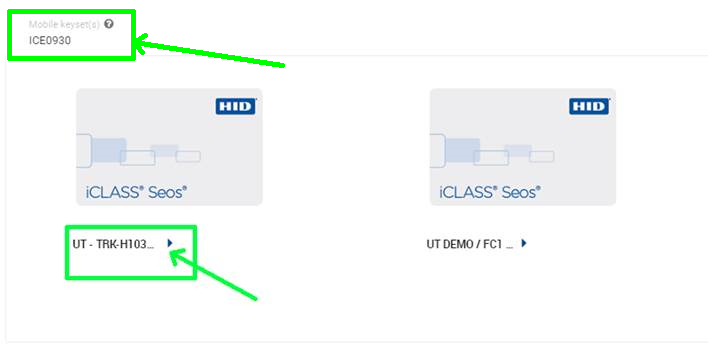
The picture shows ICE0930 (mobile key with Elite Key) or the normal one, which starts with the letters MOB.
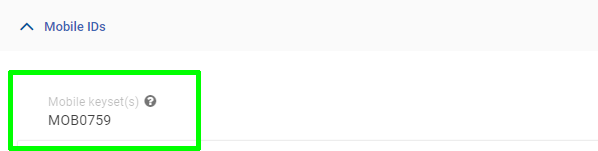
NOTE: No card pools will be displayed until any mobile user contract has been signed.
5. Once the information is available, the following information is needed to order licences:
- Quantity, i.e. how many licences we issue
- Org ID
- Mobile Key (starting with MOB or ICE)
- Card format: (i.e. what format the mobile cards will be)
- Facility Code: (depending on the format, the maps must also include Facility Code / Site code).
- Start NR (first card number)
To order a mobile user licence, please send an email to tellimus@evidence.ee.
See the range of HID mobile licences in our e-subscription centre: https://o.sta.ee/?Search=mid-sub&order=relevance